












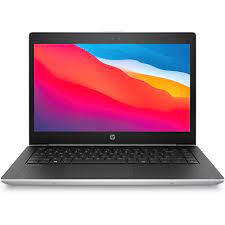
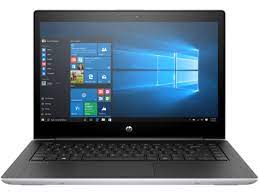



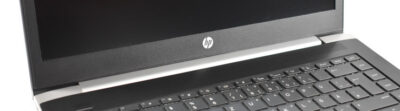
After the ProBook 450 G5 and ProBook 470 G5, we have now taken a look at the second-smallest ProBook 400 model from HP. The ProBook 440 G5 is the successor of the ProBook 440 G4 and is one of the cheaper 14-inch notebooks in the business segment. On its website, HP has advertised the ProBook 440 G5 as an “affordable combination of innovation and security and multimedia functions” for small companies.
Today’s competition devices are a Lenovo ThinkPad, a Dell Latitude and an Acer TravelMate. Only the ThinkPad E480 has been equipped with a new-generation CPU; the Latitude 3470 and the TravelMate P449 in our comparison still run on older CPUs.
Our test unit is equipped with a Full HD IPS screen, an i5-8250U, a 256-GB SSD and 8 GB of RAM. The device also comes with Windows 10.
8192 MB
, DDR4-2400
Intel SSD 600p SSDPEKKW256G7, 256 GB
, 218 GB free
Case – a new, darker design
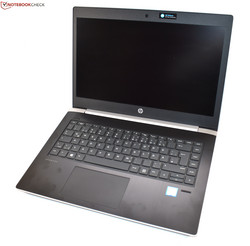
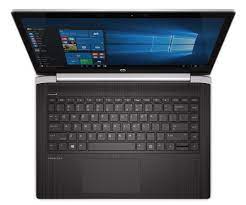
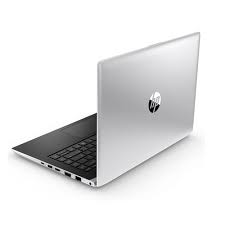
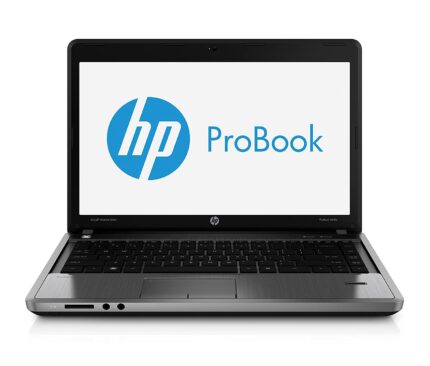
HP has given this year’s ProBook 400 series a new design. The previous generation, the ProBook 400 G4, was mainly silver. The new models are still silver on the outside, but the inside is mainly black, which makes the device look more professional. The shape is similar to last year’s version, although it has become a little more angular. A big change is the hinge design: Instead of two small drop-down hinges, the ProBook is now equipped with a larger, wider hinge of the same build. The single hinge has a silver cap and keeps the display in place while being loose enough to enable opening the display with one hand. The opening angle is limited to 135 °, which can be bothersome sometimes.
The materials have not changed. Most of the case is still made of plastic; only the wrist rest has an aluminum surface. This feels good and increases stability around the keyboard. Apart from that, the case is comparatively flexible. The display cover and base unit can be warped quite easily, although the display cover is weaker than the thicker base unit. Pressure on the back of the display is immediately visible on the panel. The ThinkPad E480 offers a lot more stability.
The same can be said for the workmanship. We already noticed a badly made edge at the front of the wrist rest on the ProBook 450 G5. Today’s test unit has the same issue at almost exactly the same spot (on the left side of the touchpad).
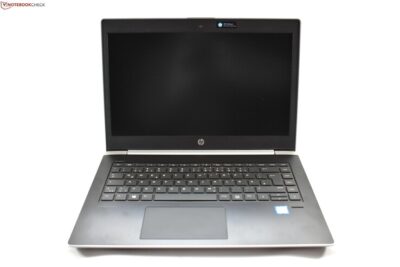
The difference in size between the comparison devices is rather small. The G5 model weighs about 100 grams (~ 3.5 oz) less than the ProBook 440 G4 and is a little narrower. The Lenovo ThinkPad E480 is even narrower, but it is deeper. It also weighs 200 grams (~ 7 oz) more.
Connectivity – many video outputs
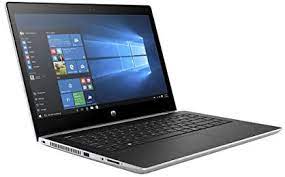
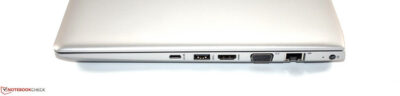
The ports are almost the same as on the larger ProBook 450 G5. The only difference: The ProBook 440 G5 has one USB-A port less. In total, there are three USB ports; the device has an additional USB Type-C port that transmits data at USB 3.1 Gen 1 speeds. The port also supports the DisplayPort alternate mode as well as Power Delivery. The DisplayPort via USB Type-C, HDMI and VGA means the device has three display outputs, a decent number for a 14-inch notebook. Particularly the VGA port might be a strong reason for purchase for some users.
We must criticize the position of the USB-C port a little – it has been placed very far to the front on the right side of the device. This is particularly annoying if you want to use the port for charging the device.
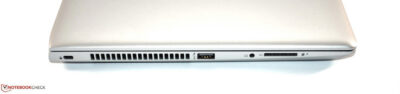
SD Card Reader
Unlike Lenovo, HP has continued to equip its business series with a full-sized SD card reader. We measured its performance in a benchmark with the Toshiba Exceria Pro SDXC 64 GB UHS II reference card, and the results are average.
Security
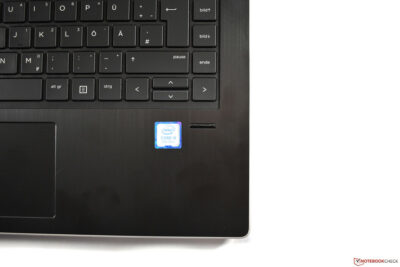
Following its classification as a “small business” laptop, the available security features of the ProBook are rather rudimentary. It does not offer a smart card reader, but it does have TPM and a fingerprint reader. This fingerprint reader is an older model, where you have to move your finger over the sensor. Newer models usually work via a touch sensor. The swipe sensor of the ProBook basically does a good job, although touch sensors are faster and more exact.
Accessories
Apart from the obligatory power supply, the device does not come with any accessories. There is no dedicated docking connector, like the more expensive EliteBooks can offer. If you want a dock, you will have to use the USB-C port. Please be aware of the limitation to USB 3.1 Gen 1 speeds, which might be an issue depending on the USB-C dock you want to use.
Maintenance
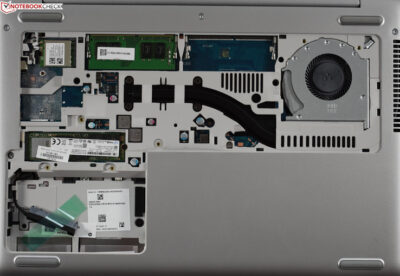
If you turn the ProBook upside down, you will find two maintenance hatches that are each secured with a Phillips screw. In order to reach the components, you first have to remove the larger maintenance hatch, as the screw for the smaller hatch is hidden below the lid of the larger hatch. In the larger area, you will find the two RAM slots and the Wi-Fi module. The smaller maintenance hatch hides the M.2 SSD slot and a free slot for a 2.5-inch HDD/SSD. We assume that you need an HDD caddy (that is not included in the scope of delivery) for this last slot, as there are two screw holes that are probably meant to secure the SSD/HDD in its caddy.
Although it is very easy to access these components, we are not entirely happy with this design, mainly because the cooling fan and battery are not accessible. The fan is visible but cannot be removed as several struts of the case are in the way. In order to reach these two components, you have to basically take the case apart.
Warranty
The manufacturer’s warranty only lasts 12 months. Although this is standard for this class of device, many cheaper notebooks offer longer warranty for private customers. Please see our Guarantees, Return Policies and Warranties FAQ for country-specific information.












Reviews
There are no reviews yet.